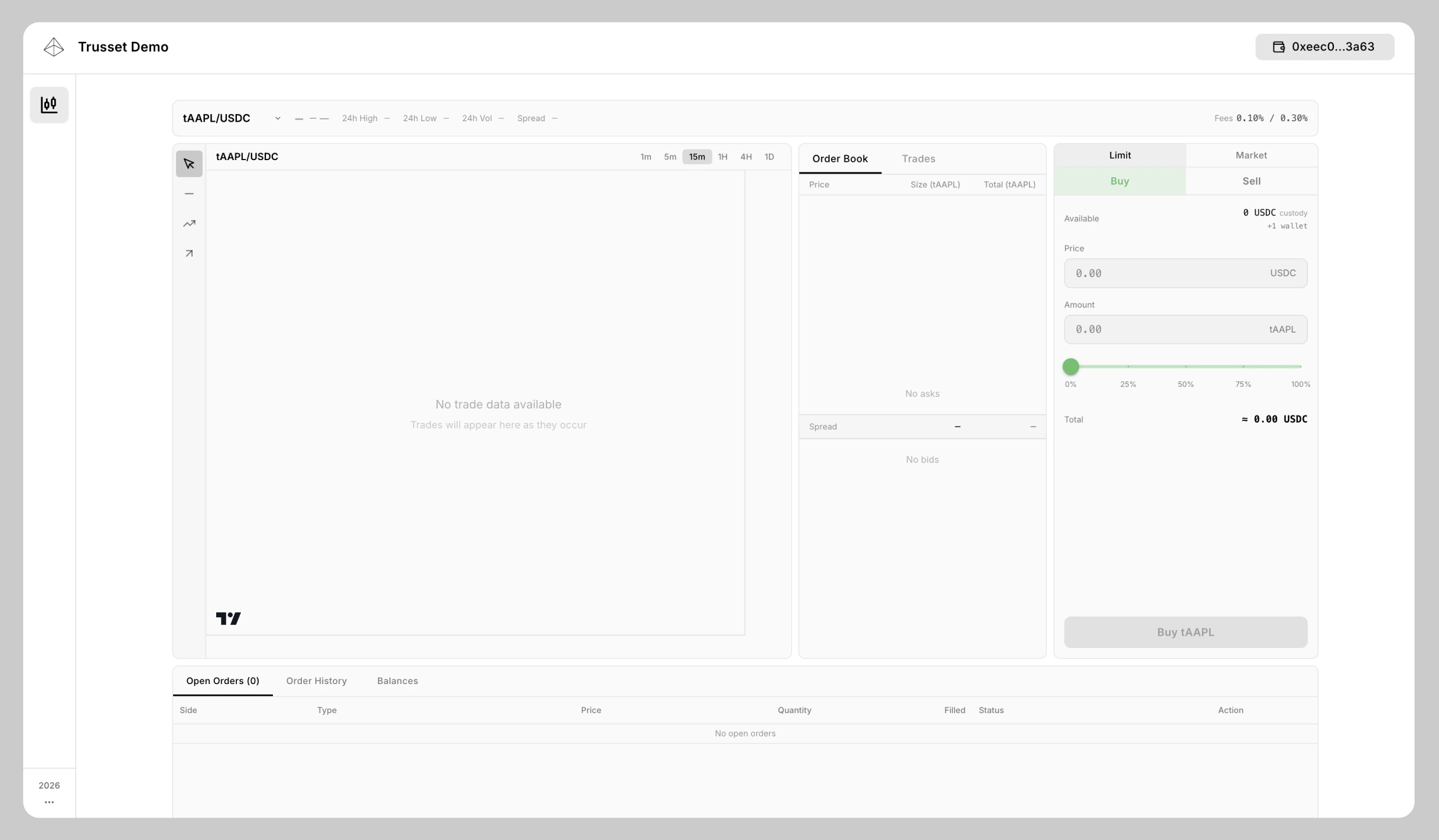
For tokenized stocks, Trusset only uses the Hybrid Order Book system.Documentation Index
Fetch the complete documentation index at: https://docs.trusset.org/llms.txt
Use this file to discover all available pages before exploring further.
Order books use unified liquidity per underlying stock. This comes from our sub-issuer (register participant) model where we only use one token address per underlying stock while each sub-issuer operates in their isolated environment.
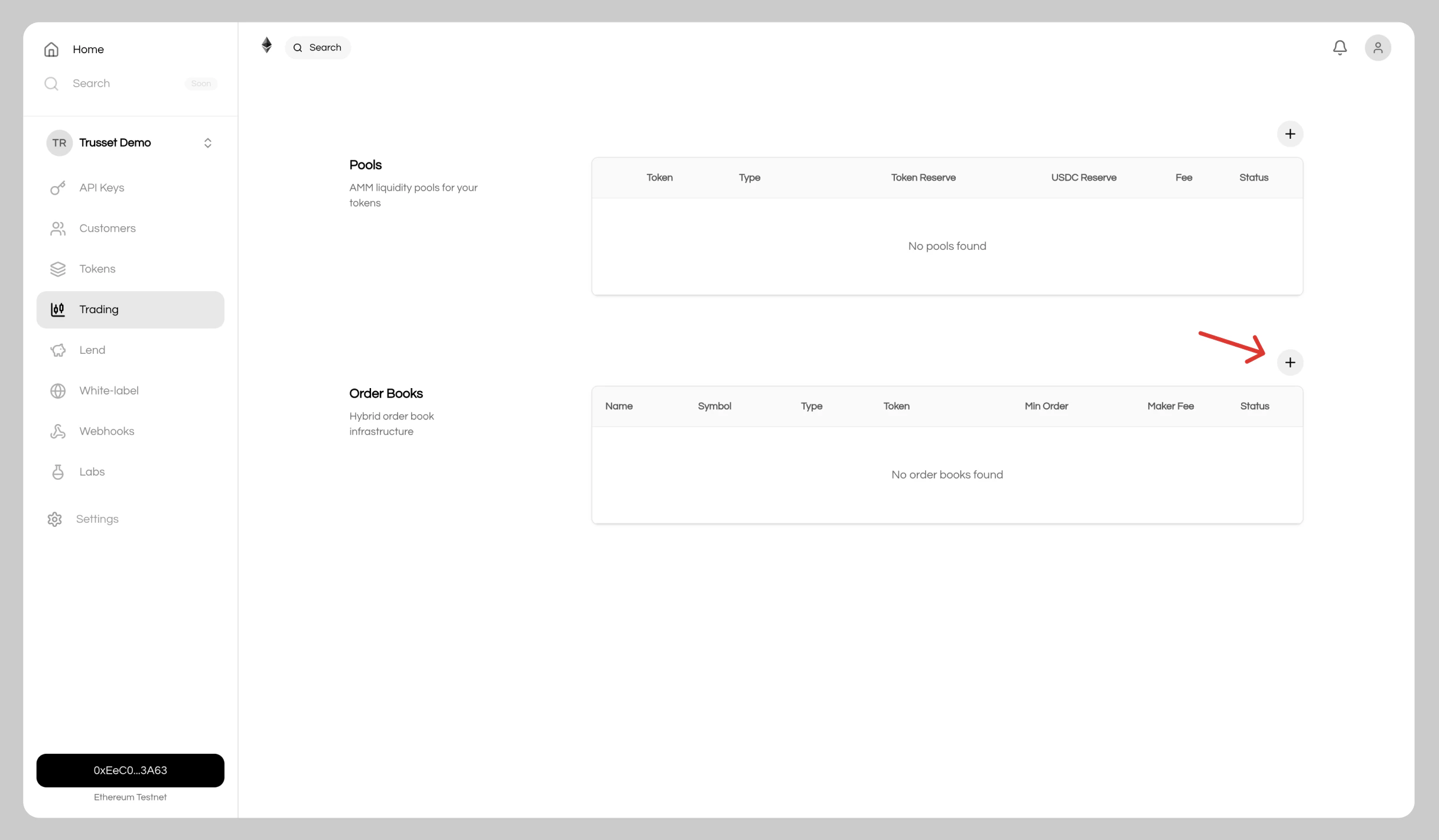
1. Open the Trading Page
Navigate toTrading in the sidebar and click the + button to create a new order book.
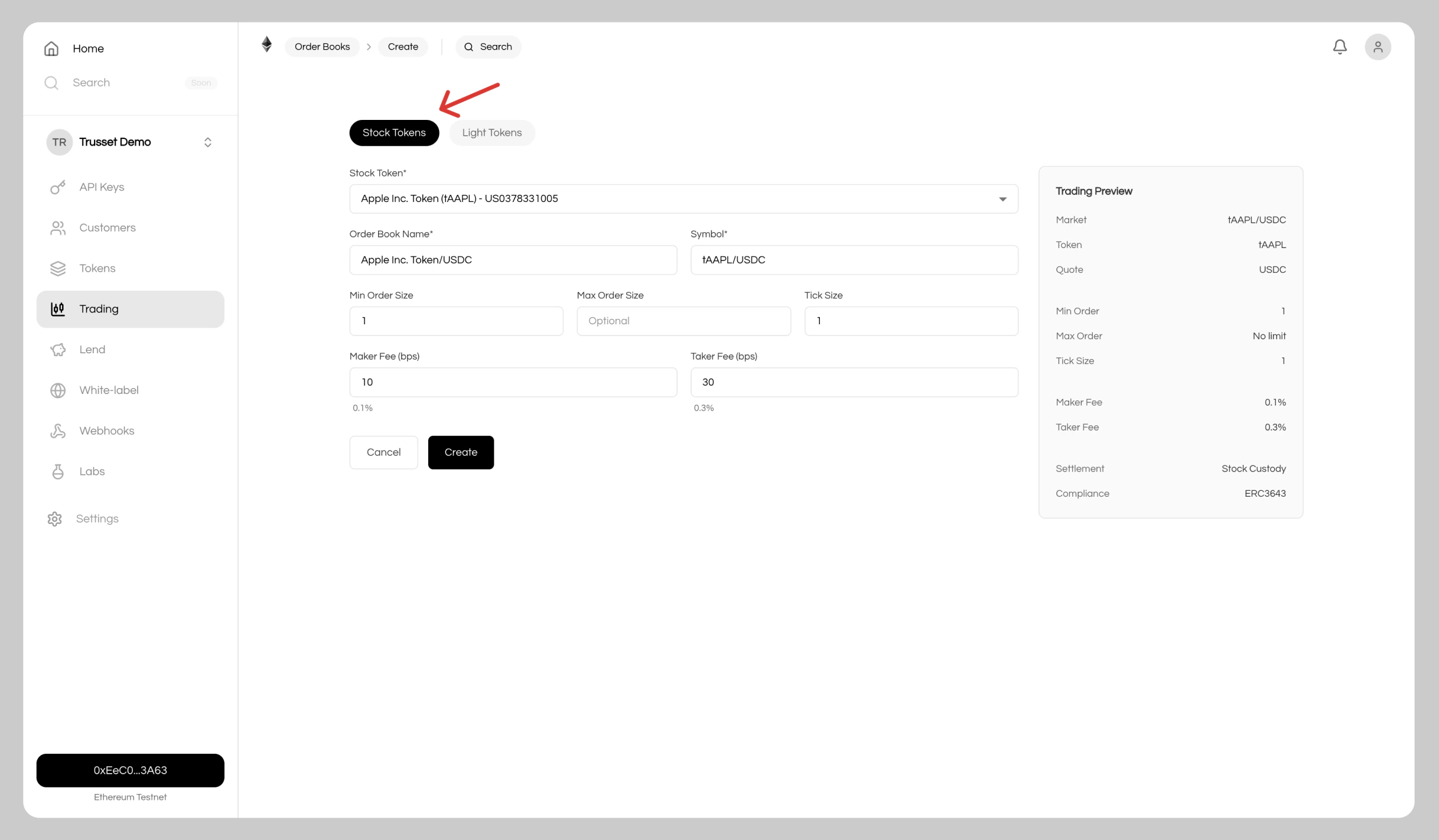
2. Configure and Deploy
ChooseStocks and set your order book parameters.
3. Add Price Link
Soon: Add a starting base price reference and range to ensure the first trade executes with proper pricing.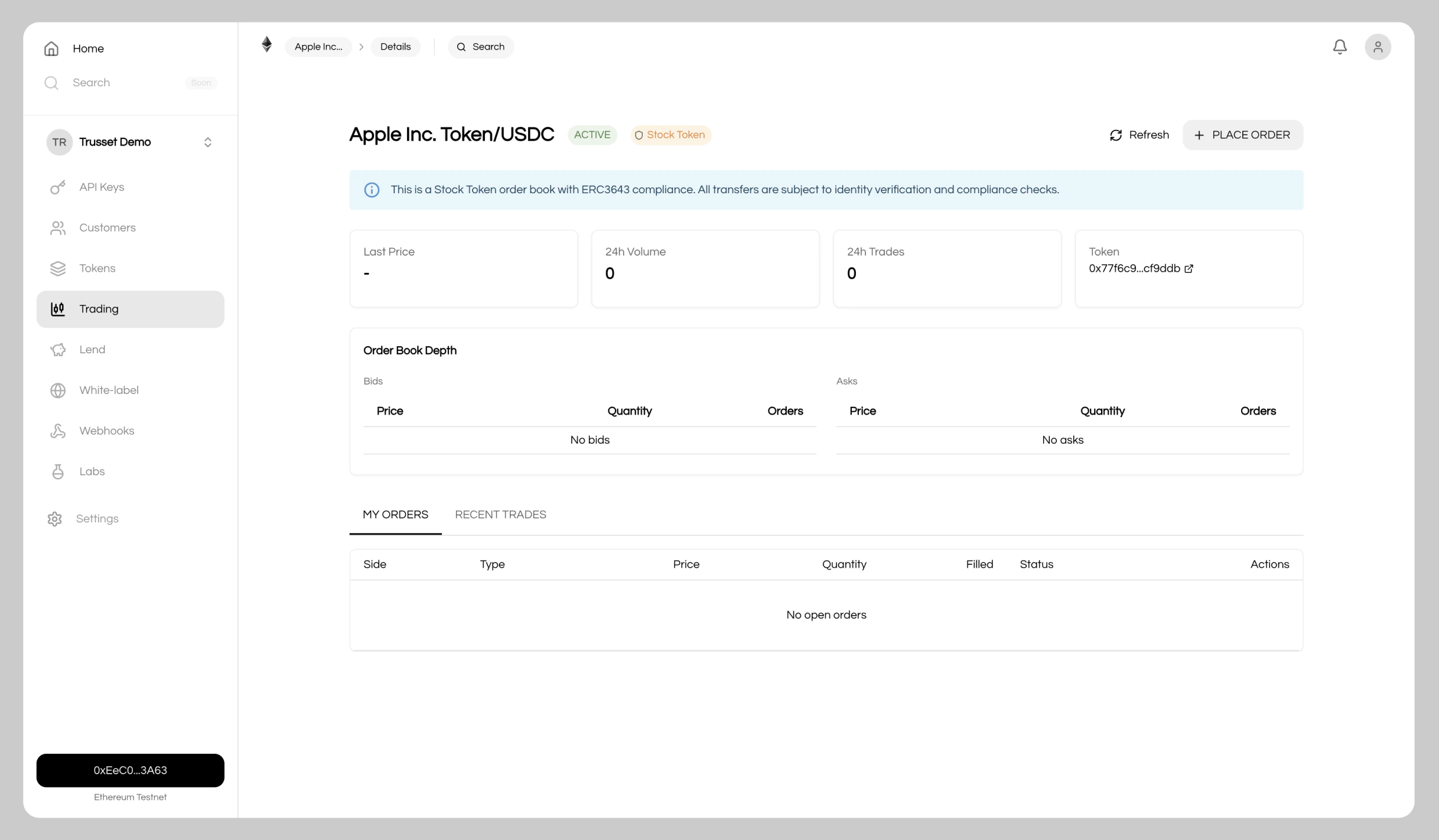
4. Integrate
Your market is live and handles transactions 24/7. Two options to go live:- Whitelabel app: Click
Approve for Whitelabelto enable trading in your branded app - Custom integration: Connect the order book directly to your application using our REST APIs