Documentation Index
Fetch the complete documentation index at: https://docs.trusset.org/llms.txt
Use this file to discover all available pages before exploring further.
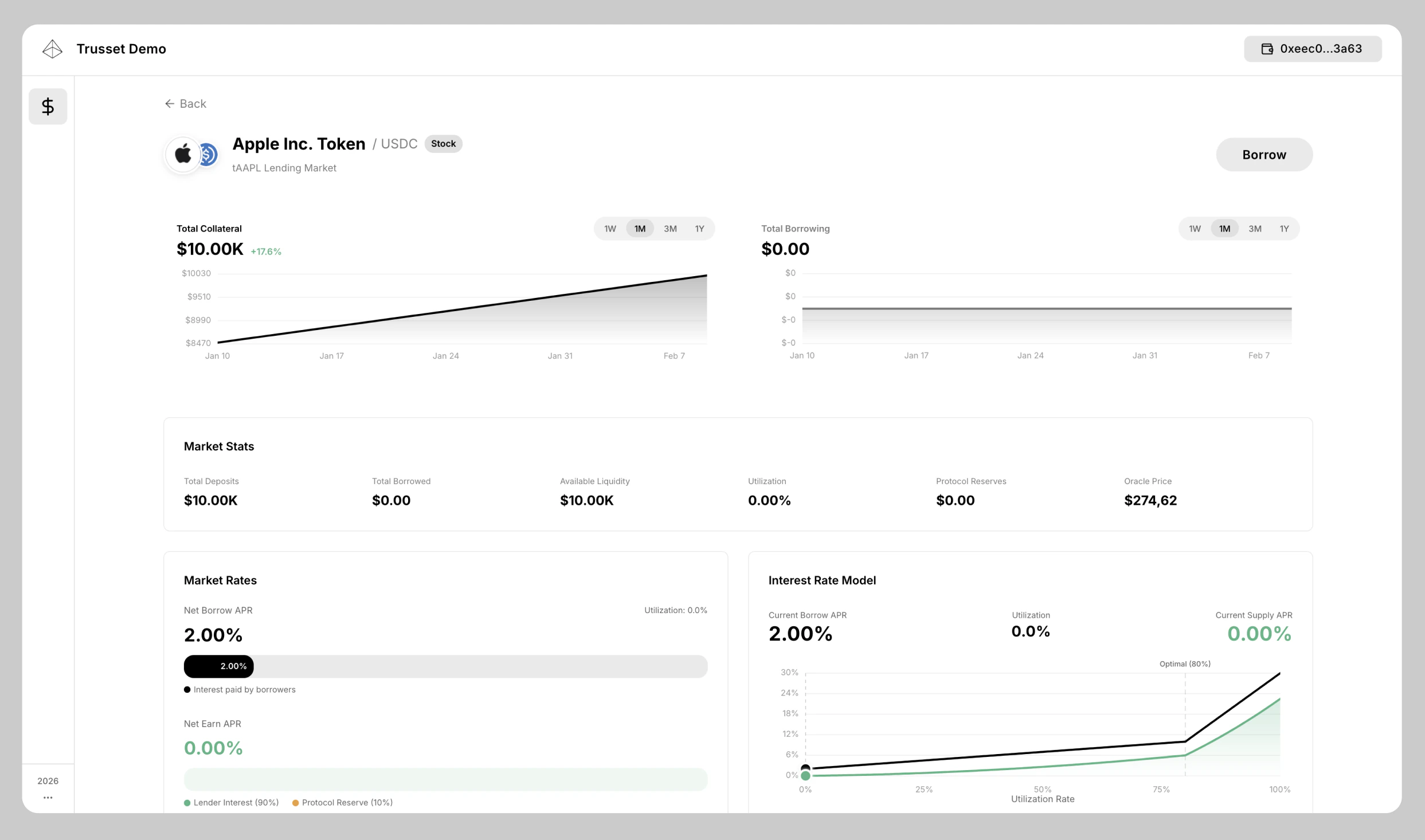
Our stock lending markets use the underlying order book as a pre-configured liquidation route. You can integrate your own trading venue for liquidation after setup.
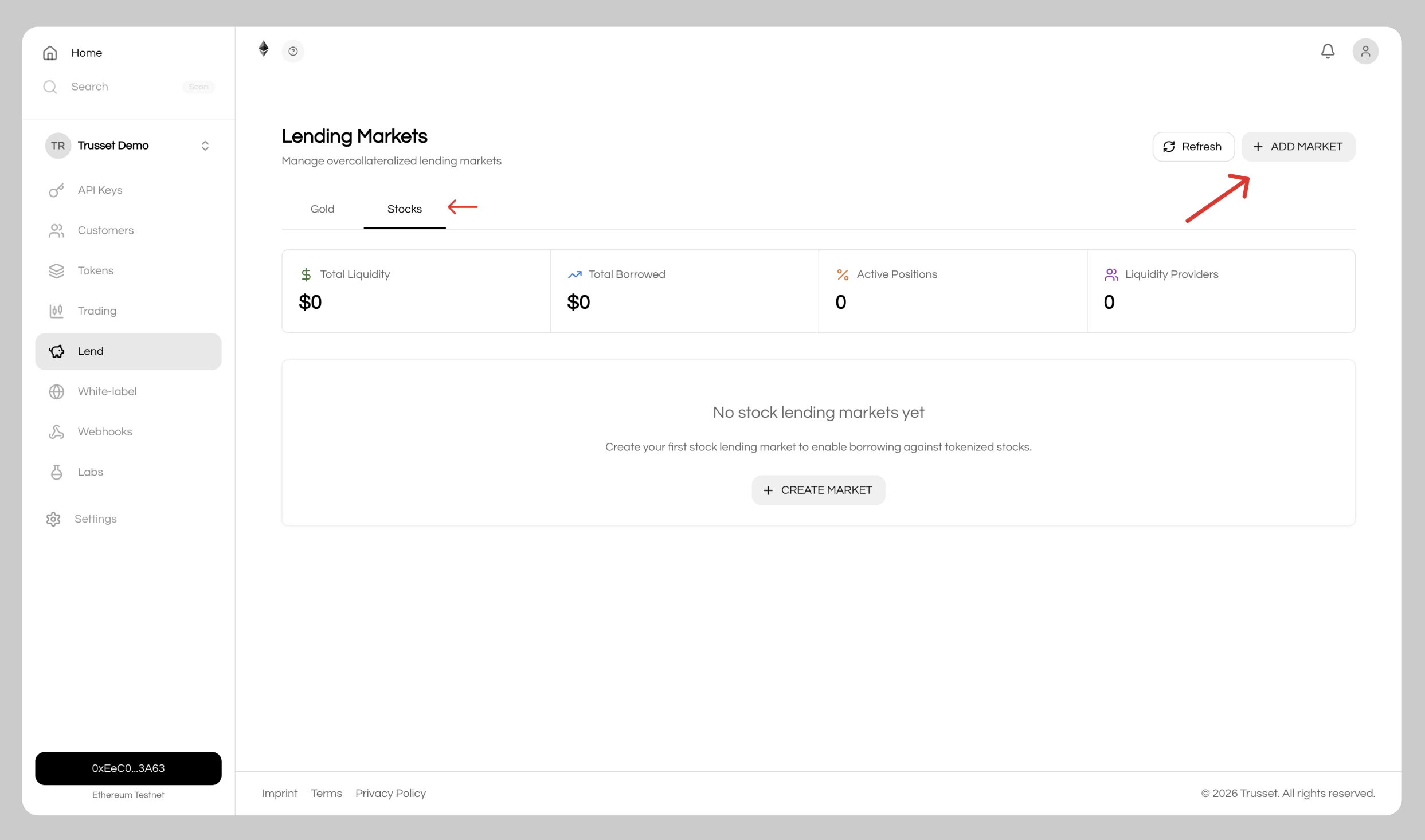
1. Open the Lending Page
Navigate toLend in the sidebar and choose Stocks, then click Add Market to create a new lending market.
2. Configure and Deploy
Choose your stock token and set your lending market configuration as well as the initial oracle price, which can be fetched with a click using our relayer.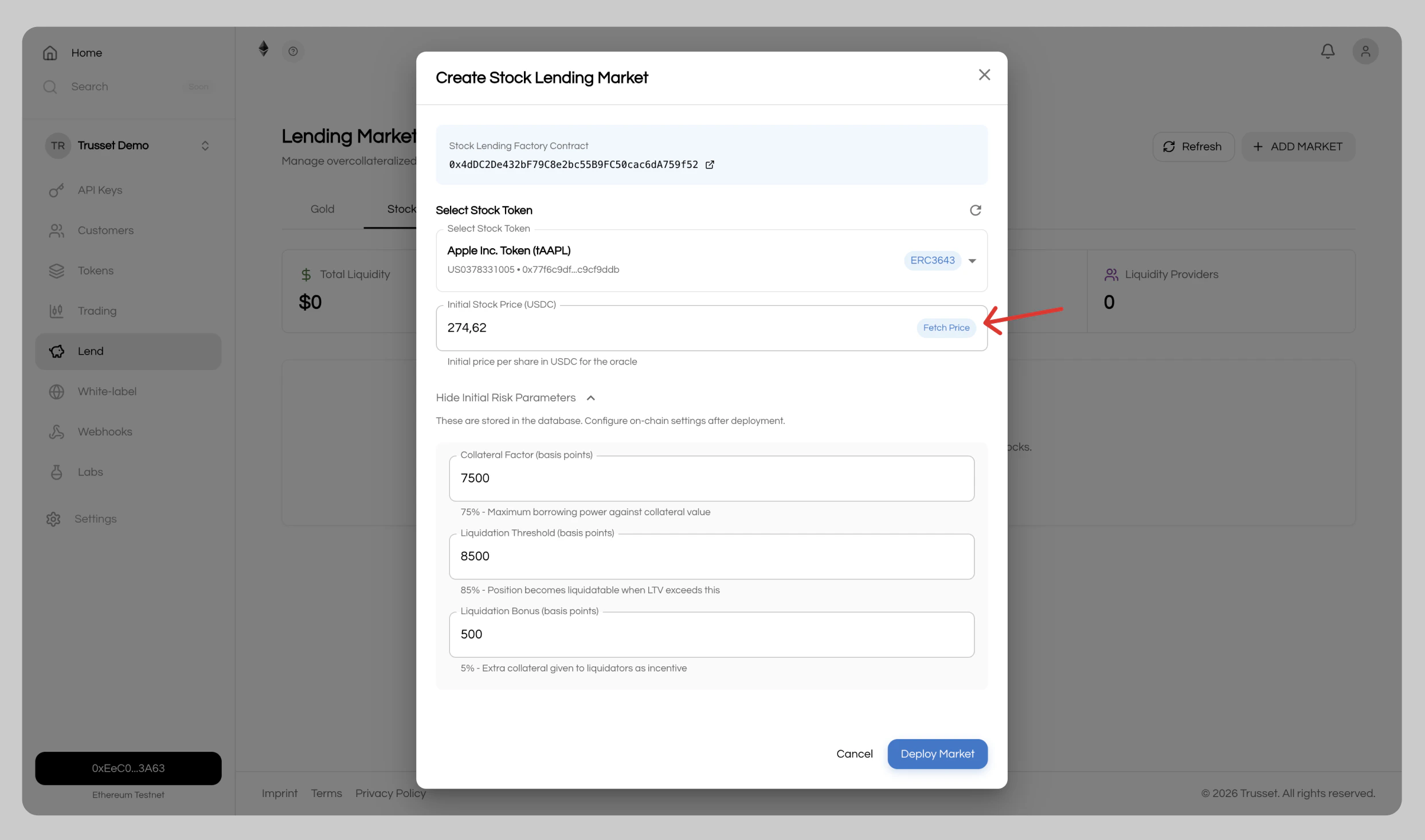
3. Add Liquidity
Add liquidity to your lending market.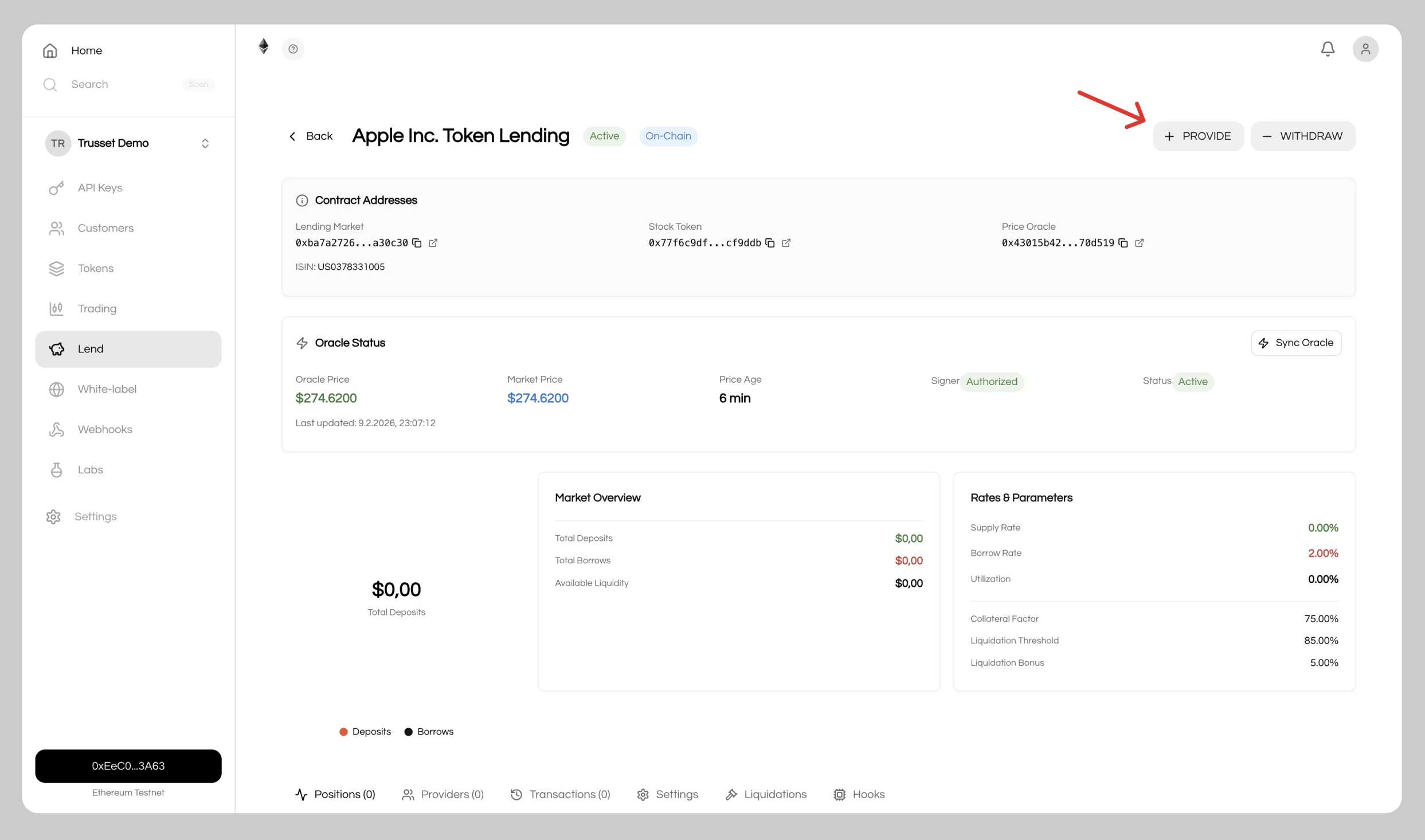
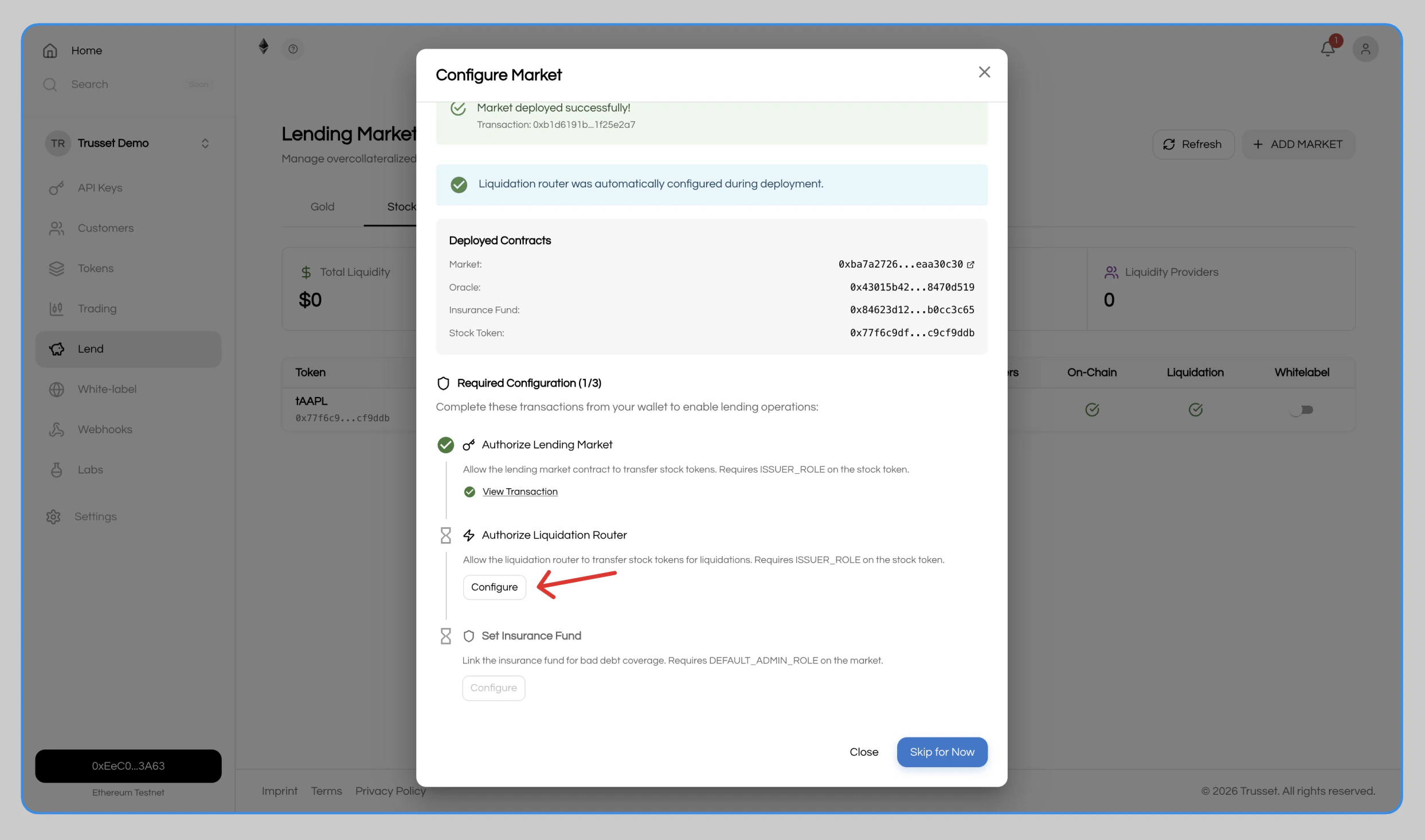
4. Customize
Set custom liquidation venues, price feeds, and more.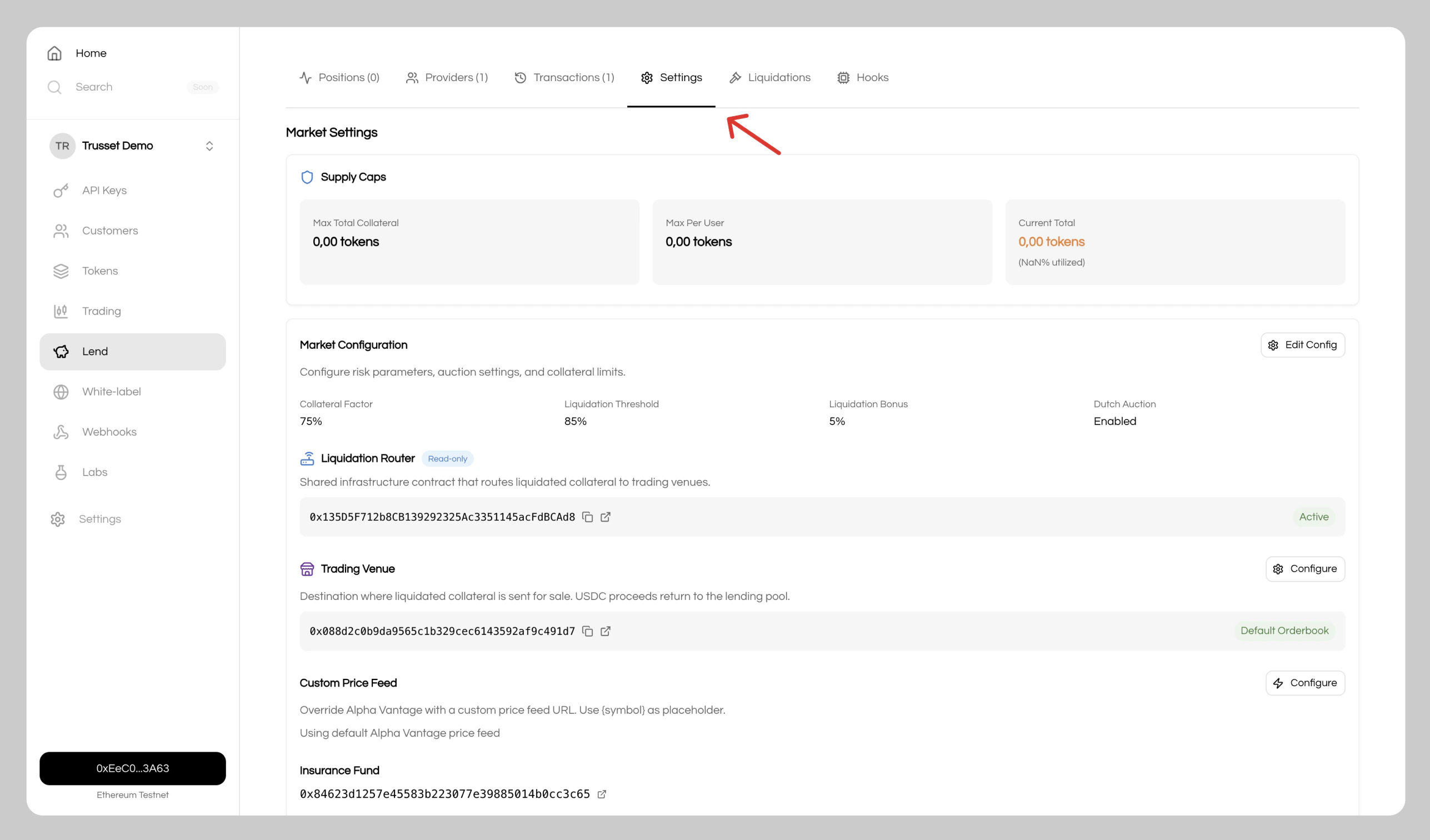
5. Integrate
Your lending market is live and handles transactions 24/7. Two options to go live:- Whitelabel app: Click
Approve for Whitelabelto enable lending in your whitelabel app - Custom integration: Connect the lending market directly to your application using our REST APIs